
Run your AI agents as a distributed fleet
Run the CLI harness of your choice with any LLM model on your existing machines or our hosted VMs Use your existing subscriptions or API keys A single, unified user interface on your phone or desktop Persistent, resilient sessions that never die
Harnesses supported at launch: Claude Code, Codex, Gemini CLI, and OpenCode.The status of each is on the Install page.

Every session can coordinate with any other session or spawn a new session, on any PC or VM in your mesh, so multiple agents can orchestrate teams of peers across Claude Code, Codex, Gemini, and OpenCode.
Close the laptop, reboot the PC, lose the network, hit a rate limit or an API error, come back a month later on a different subscription account, and pick up right where you left off.
See it working
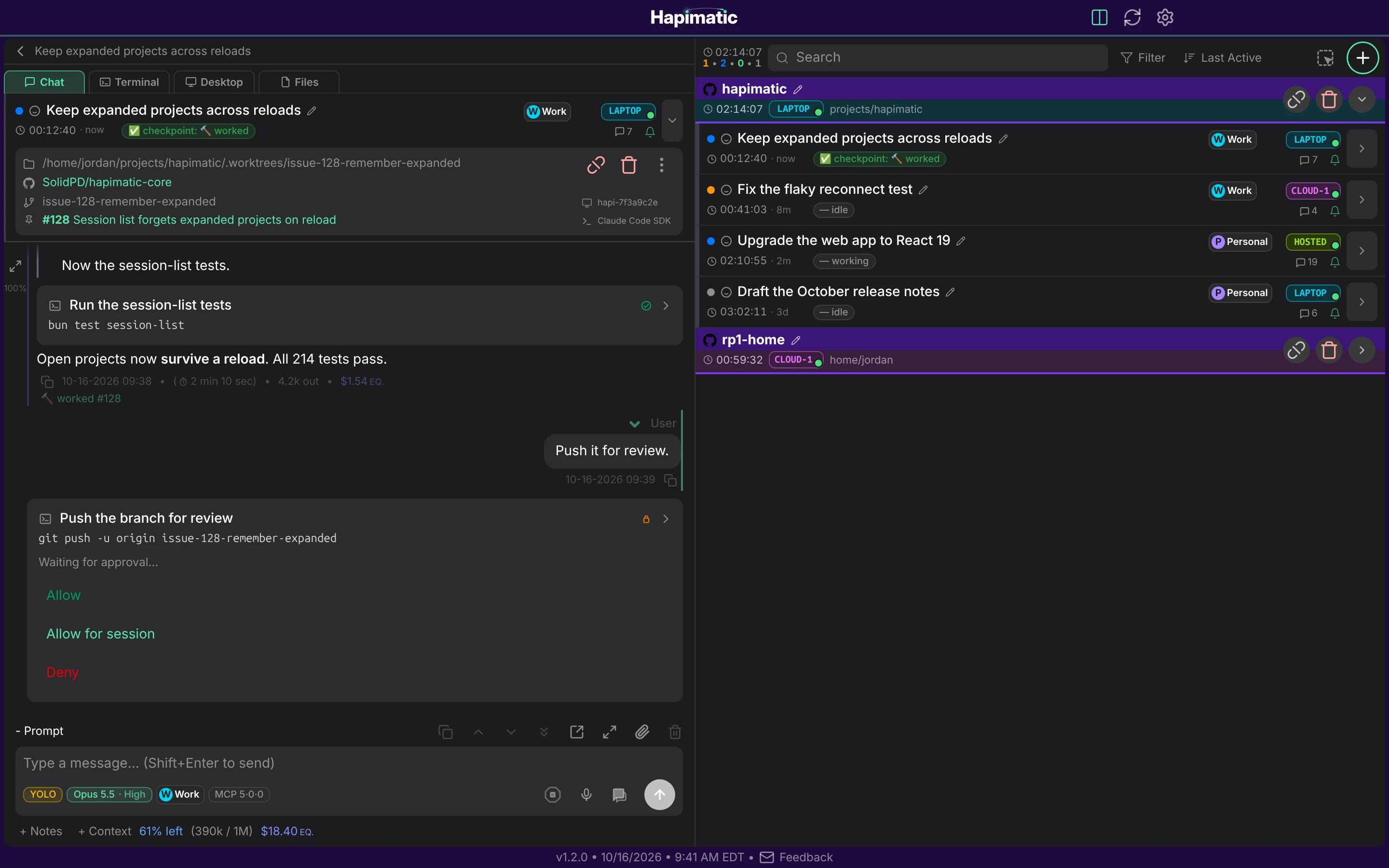
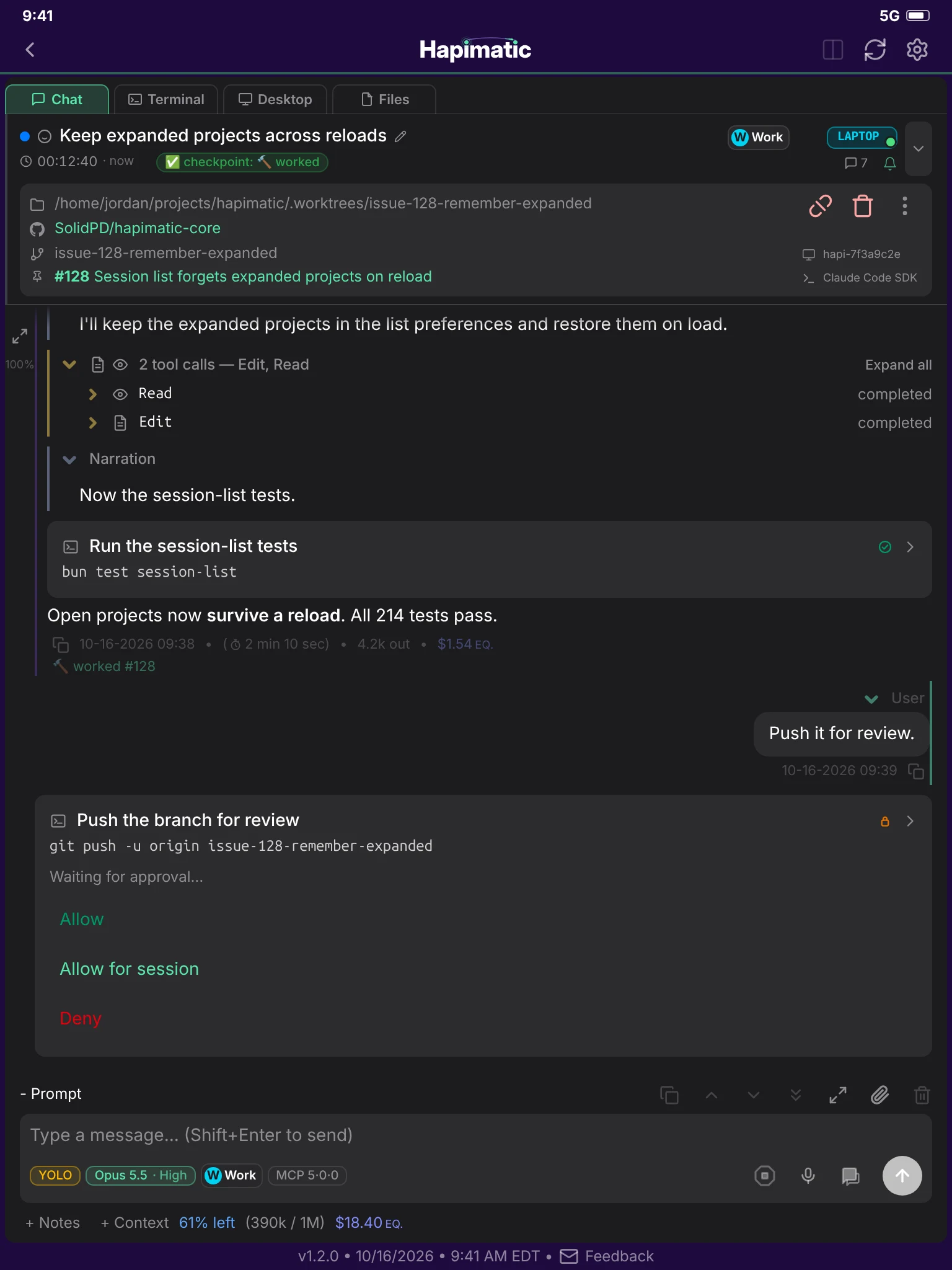
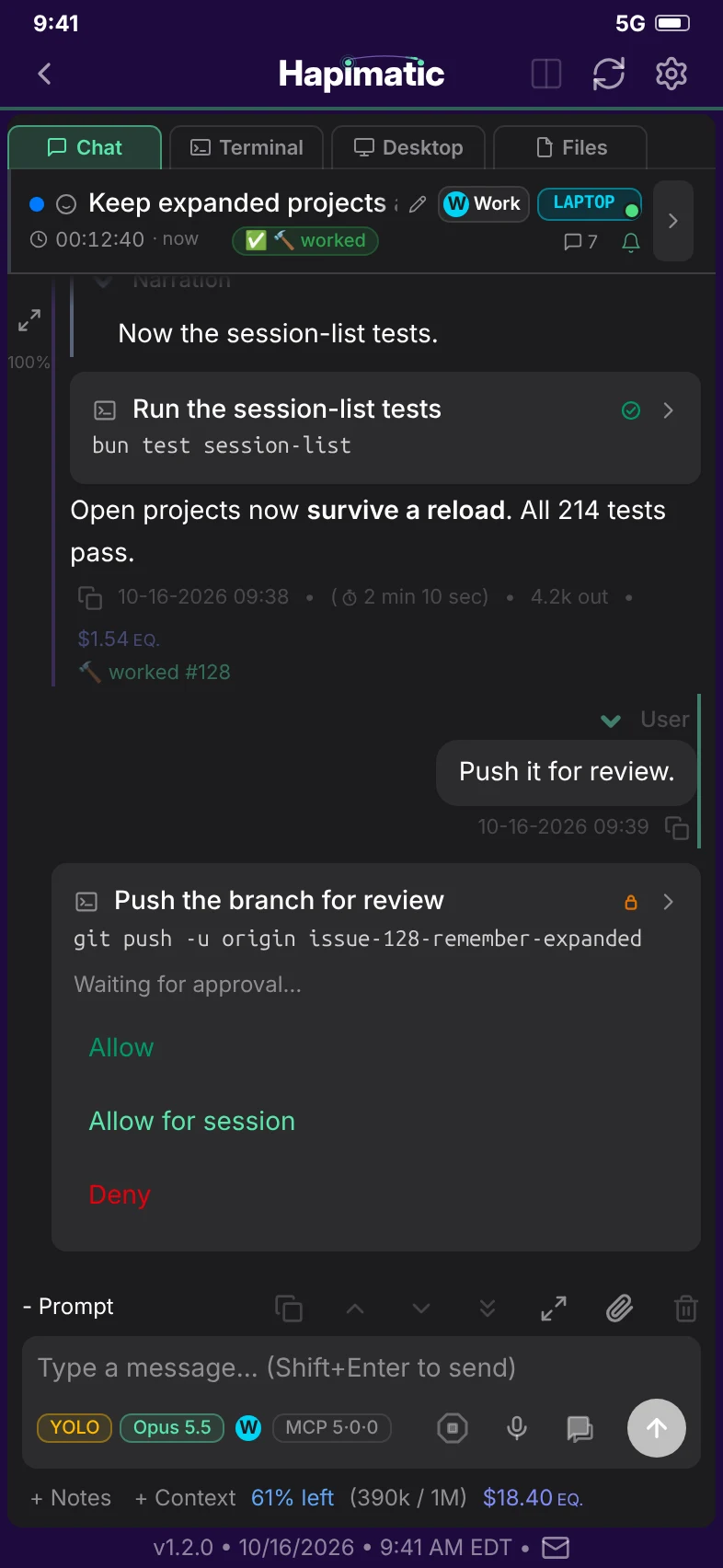
One interface for every session, on your desktop, your tablet, and your phone
What's in the open-source core
-
One app on every device
You get the same modern, responsive app interface on your phone, tablet, and desktop - not a desktop app… plus a phone app… plus a website… all with different features.
-
A fleet, not a box
Stop relying on hidden "subagents" with reduced capabilities. Every Hapimatic session is a peer of every other: see it, message it, spawn it, on any machine you own, any VM we host, or any VM you run. Cluster as many machines as you want and run coordinated sessions in parallel across all of them.
-
Every harness, one layer up
As a meta-harness, Hapimatic runs above the CLI harness applications (such as Claude Code, Codex, etc.) which allows it to run several CLI harnesses side by side, across several of your own subscription accounts, from several providers, each under its own limits and terms.
-
Parallel work without collisions
Each session gets its own worktree, so several agents can work on the same repo, on the same machine, at the same time.
-
Sessions that never die
Server restarts, harness upgrades, crashes, reboots, API outages, and rate limits do not end a session. Park your work for weeks, then come back on a different account, and continue from where you left off.
Gemini CLI and OpenCode sessions do not persist through a restart of the Hapimatic background service.
-
Switch between your own accounts without losing the session
Run each session on your existing Anthropic or OpenAI accounts, or API keys.
Each account's own limits and terms apply.
Gemini CLI runs on an API key; Google's terms do not permit OAuth through third-party software.
-
Scheduling that runs while you sleep
Run recurring prompts inside a session, and schedule events that start sessions on their own, with the controls a real scheduler needs: overlap rules, operating hours, exclusions, jitter, and backoff.
-
Every session transcript, searchable forever
The complete record of every session stays saved on your node, searchable and recoverable to restart at any time, by you or any agent.
-
Smart Notifications
Receive alerts when your agents need your judgement or authorization via Push Notifications on your mobile device and Telegram.
-
Recursive Self-Improvement
When Hapimatic hits an edge case, sharp edge, or bug, it can file an issue for the next round of improvements.
-
Bring your setup with you
Import the skills, agents, hooks, rules, MCP servers, and CLAUDE.md from your existing Claude Code configuration, and the MCP servers from Cursor or the Claude desktop app.
Paid add-ons for the hosted service
These are paid add-ons of the hosted service. They are not part of the open-source core.
-
Paid add-on
Issue Workflow
Your GitHub issues become the work queue.
- Every issue moves through formatted, researched, implemented, tested, and closed, with the evidence attached
- Anyone with access to the repo can see what is being worked and in what state
- The Issue Workflow can seed into an existing repo with issues already in progress; no preparation necessary
-
Paid add-on
Project Manager
An agent that runs the fleet for you
- The Project Manager spawns peer sessions and hands each one an issue from your plan
- It monitors every session on a schedule and unblocks what it can, so work continues with nobody watching
- It reports back to you in its own session and brings you only the decisions that are yours to make
-
Paid add-on
Hardware Bench
Extend your agent's reach into the physical world with sensors, actuators, lab instruments, PCB design software, and more.
- A bench camera lets your agent see the board, the indicator LEDs, and the instrument screens
- Your agent drives the lab instruments: it loads a rail, profiles the current, and captures an oscilloscope waveform
- It reads the schematic and edits the BOM and the PCB layout in KiCad to carry the fix through
Who it is for
AI Power Users who want to run multiple parallel agents on the subscriptions they already have, rather than paying by the token.Become a 100x engineer.